Overview
Bustin’ Bacon Tap is a game where the aim is to break open the Piggy Bank to win. Each successful shot will award cash prizes and can also trigger a Bonus Round.
Game specifications:
| Type | Instant Tap |
| Number of coins you can bet | 25 (cannot be changed) |
| Multiplier | Yes |
| Free Games | Yes |
| Instant win | Yes |
The game disconnects if you do not take any actions for a specific number of consecutive minutes (this number varies depending on jurisdiction); the session recovery feature will save the game progress so that the next time the game is loaded, you can continue where you left off.
In the event of technical difficulties resulting in a dropped connection to the game server, the game you were playing is saved automatically and will load the next time you establish a connection to the game server. You will not be able to reconnect to the game server for the first 30 seconds after the disconnection.
Note: In case of malfunction all pays and play are voided; any bet that was not yet accepted will be voided, any bet that was unsettled will be refunded.

How to Play
Note: If you do not have enough money to play a game, the bet can be set to the minimum selectable amount through a dialog window informing about this.
Winnings from Free Games are added to the total win.
The auto spin feature does not automatically start Free Games – player input is required (Available only for specific jurisdictions).
On the info bar, you can view the current BET, your BALANCE and your current WIN, displayed in either credit or your real currency, depending on the current user’s choice (Available only for specific jurisdictions). To toggle between credit or your real currency, click in the BALANCE area (Available only for specific jurisdictions).
Desktop version
To play, follow these steps:
- Click
 on the main screen, and then use the + and – buttons to select a coin value. Click to save the settings and return to the main screen.Note: The total BET is displayed in either credit or your real currency, depending on the current user’s choice (Available only for specific jurisdictions). To toggle between credit or your real currency, click in the BALANCE area (Available only for specific jurisdictions).
 - Tap or the slingshot to place the bet and shoot one time. Each shot will either break open the piggy bank (win), bounce off (lose) or miss completely (lose).
 on the main screen, and then use the + and – buttons to select a coin value. Click
  to save the settings and return to the main screen.Note: The total BET is displayed in either credit or your real currency, depending on the current user’s choice (Available only for specific jurisdictions). To toggle between credit or your real currency, click in the BALANCE area (Available only for specific jurisdictions).
 or the slingshot to place the bet and shoot one time. Each shot will either break open the piggy bank (win), bounce off (lose) or miss completely (lose).
The total amount won will be shown in the WIN field from the info bar, in either credit or your real currency, depending on the current user’s choice (Available only for specific jurisdictions).
To toggle between credit or your real currency, click in the BALANCE area (Available only for specific jurisdictions).
Mobile version
To play, follow these steps:
- Tap on the main screen, then use the + and – buttons to select a coin value. Tap to save the settings and return to the main screen.Note: The total BET is displayed in either credit or your real currency, depending on the current user’s choice (Available only for specific jurisdictions). To toggle between credit or your real currency, tap in the BALANCE area (Available only for specific jurisdictions).
- Tap or the slingshot to place the bet and shoot one time. Each shot will either break open the piggy bank (win), bounce off (lose) or miss completely (lose).
The total amount won will be shown in the WIN field from the info bar, in either credit or your real currency, depending on the current user’s choice (Available only for specific jurisdictions).
To toggle between credit or your real currency, tap in the BALANCE area (Available only for specific jurisdictions).
Special Symbols and Features
Winning Shot
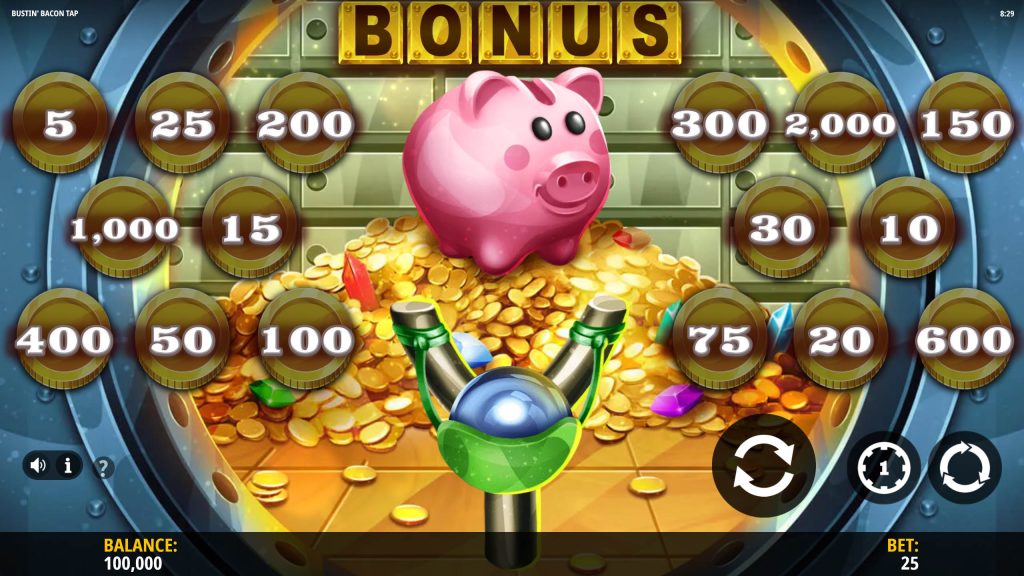
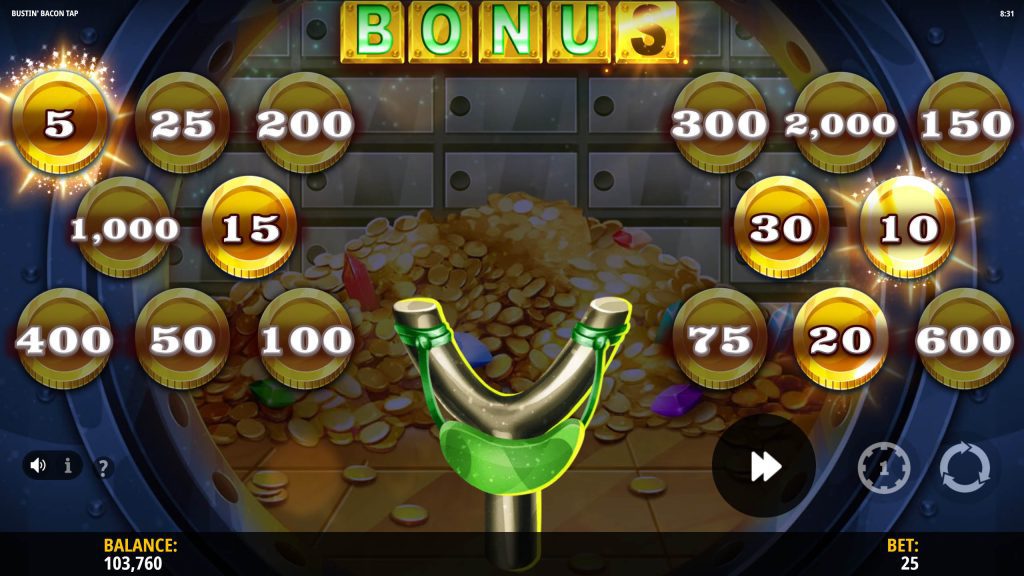
A winning shot will award between 3 & 10 Cash Prizes and light some of the B-O-N-U-S letters.
Possible Cash Prizes (x BET): 0.2x, 0.4x, 0.6x, 0.8x, 1x, 1.2x, 2x, 3x, 4x, 6x, 8x, 12x, 16x, 24x, 40x, 80x.
On any winning shot a random multiplier of between x2 and x10 can also boost the cash values.
Lighting all 5 B-O-N-U-S letters will trigger Free Games.
Winning shot animations will play randomly.
Losing Shot
A losing shot will not award any winnings.
Losing shot animations will play randomly.
Free Games Bonus
Free Games are triggered by lighting all 5 B-O-N-U-S letters on a winning shot.
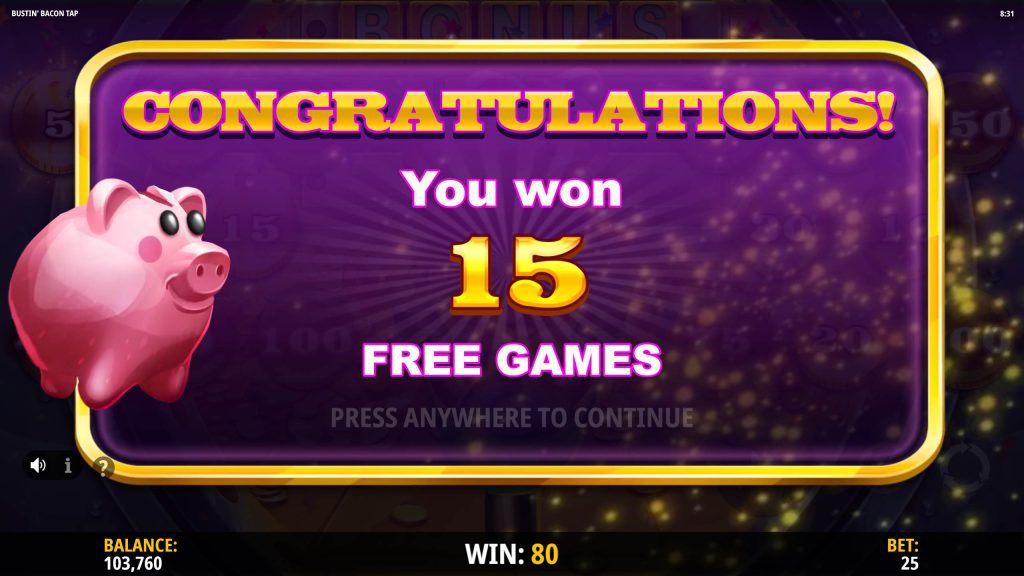
15 Free Games are awarded.
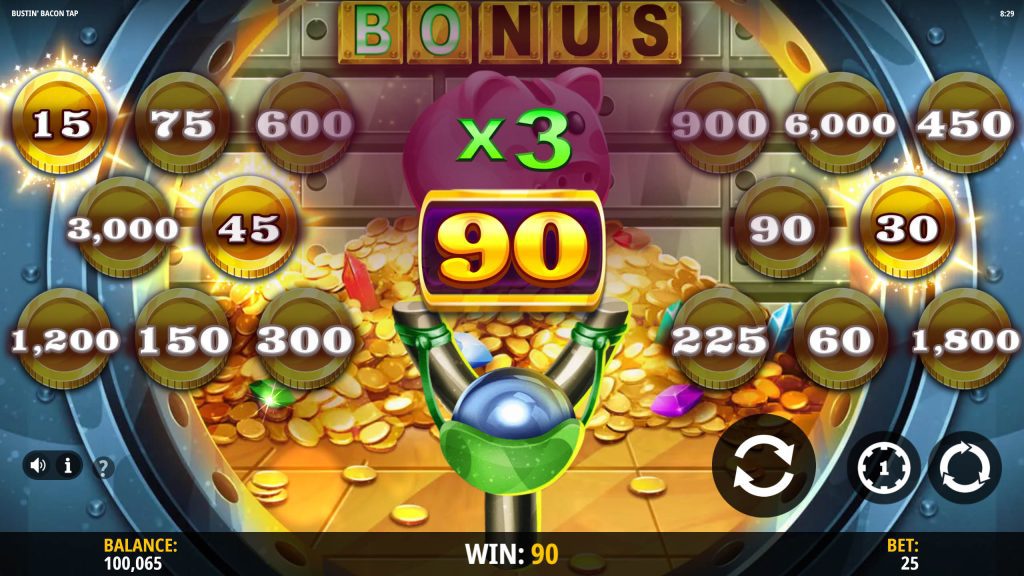
Any successful Free Games shot will highlight one cash prize or boost the win multiplier.
The win multiplier starts at x1 and increases by x1 every time a multiplier is awarded.
When Free Games end, all highlighted prizes will be collected and the final multiplier applied.
Minimum number of Cash Prizes = 5.
Maximum number of Cash Prizes = 10.
Maximum multiplier = x10
Other game buttons
Desktop version
The following buttons are available:
 | Click this button to toggle the game sound on or off. |
 | Click this button to open the PAYOUTS tab, where you can view several screens:information about the payouts for the winning combinations, in either credit or your real currency – to toggle between credit or your real currency, click in the BALANCE area for information about any existing special features or special symbols and their payouts, or specific awards; basic game rules.To navigate among the various screens in the PAYOUTS tab, click on the left and right arrows at the bottom of the screen. |
| RULES | In the last of the screens from the PAYOUTS tab, click this button to view detailed game rules. |
 | (in real mode only) This button can be found in the PAYOUTS screen, in the BET settings screen and in the AUTO SPIN screen (available only for specific jurisdictions). Click on it to view the gameplay history. |
 | This button can be found in the PAYOUTS screen, in the BET settings screen and in the AUTO SPIN screen (available only for specific jurisdictions). Click on it to close the game and to open the home website, in the same browser window. |
 | (available during winning animations) Click this button to skip the winning animations. |
Mobile version
The following buttons are available:
| Tap this button to toggle the game sound on or off. |
| Tap this button to open the PAYOUTS tab, where you can view several screens:information about the payouts for the winning combinations, in either credit or your real currency – to toggle between credit or your real currency, tap in the BALANCE area for information about any existing special features or special symbols and their payouts, or specific awards; basic game rules.To navigate among the various screens in the PAYOUTS tab, tap on the left and right arrows at the bottom of the screen. |
| RULES | In the last of the screens from the PAYOUTS tab, tap this button to view detailed game rules. |
| (in real mode only) This button can be found in the PAYOUTS screen, in the BET settings screen and in the AUTO SPIN screen (available only for specific jurisdictions). Tap on it to view the gameplay history . |
| This button can be found in the PAYOUTS screen, in the BET settings screen and in the AUTO SPIN screen (available only for specific jurisdictions). Tap on it to close the game and to open the home website, in the same browser window. |
| (available during winning animations) Tap this button to skip the winning animations. |