
Introduction
Big Bass Crash is an entertaining online multiplayer game of the “Crash” type. It is a game of chance featuring a multiplier with an initial value of 1.00x increasing up to a random predetermined value before the Crash happens.
The objective of the game is to cash out before the Crash occurs to win your bet multiplied by the current value of the multiplier.
Join our restless fisherman in his attempt to catch the biggest bass ever!
How to Play
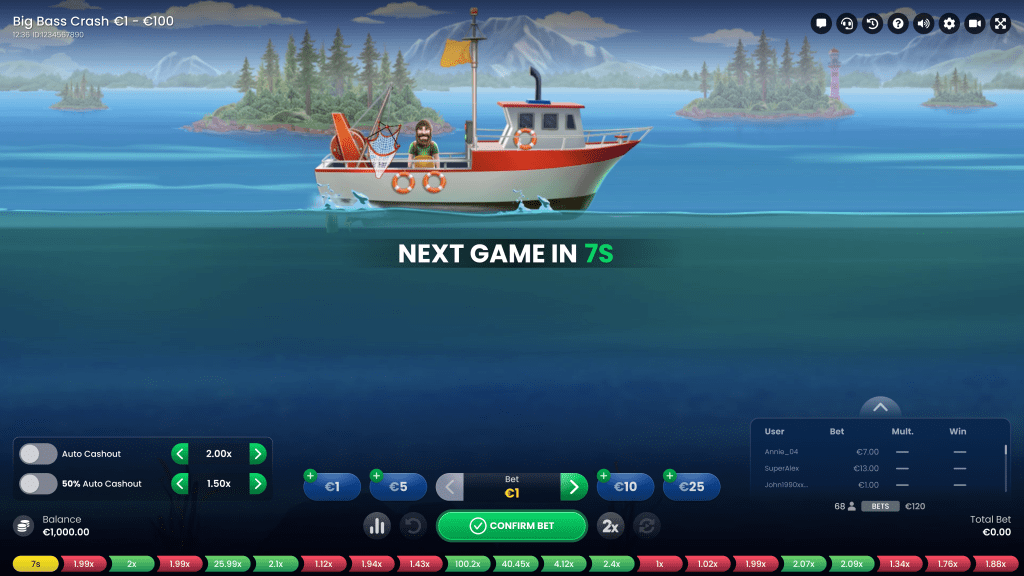
To play, select a bet amount and confirm your bet by clicking/tapping the CONFIRM BET button.
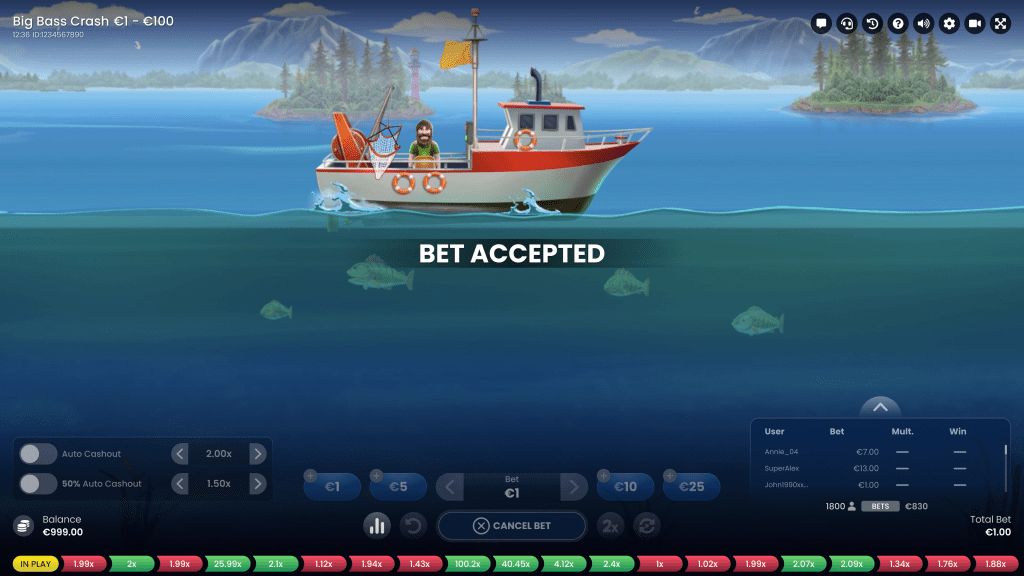
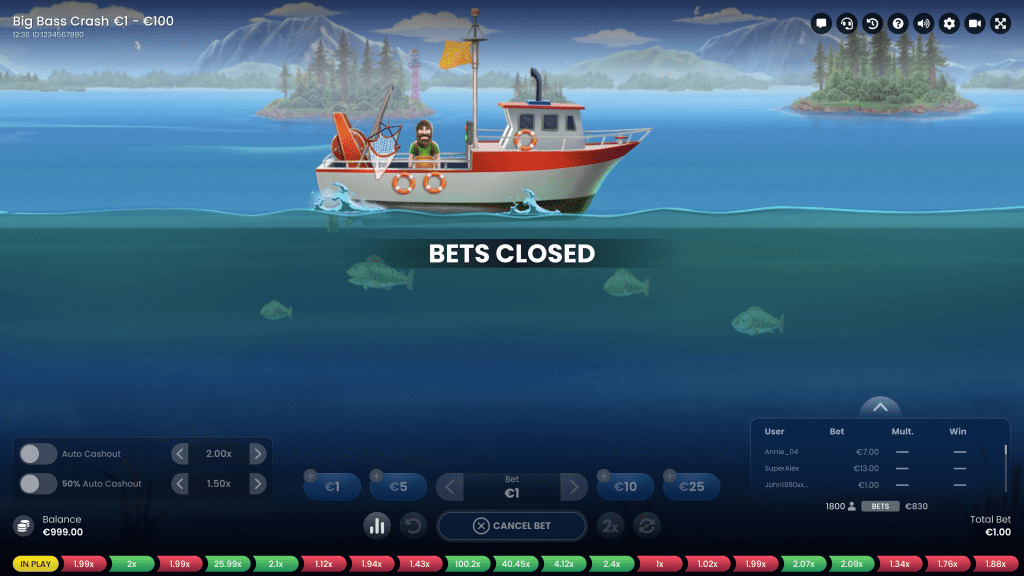
You are allowed to place or modify your bet for the upcoming game round until the BETS CLOSED is displayed on the screen.
Your total bet in the current round will be displayed in the Total Bet window.
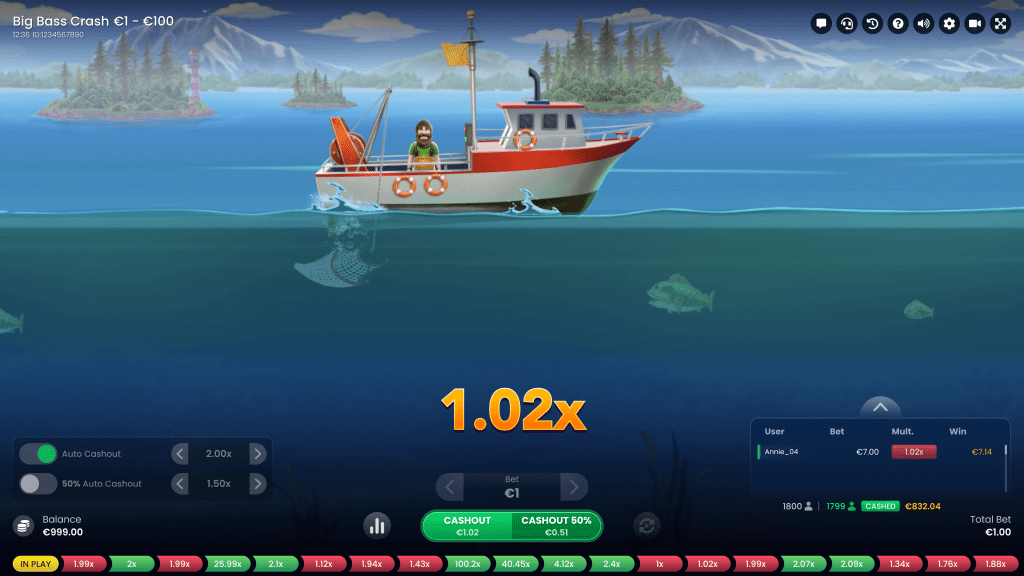
When the betting time ends, the multiplier is displayed with the initial value of 1.00x. The multiplier then starts to increase, slower at the start but at a faster rate as it goes higher. While it is increasing, you have the possibility to cash out all at once or half first and half later.
The later you cash out, the bigger your winnings are, but make sure to do this before the Crash. When the Crash occurs, the game round ends, and any amount not cashed out by then is lost.
NOTICE:
- If the Crash occurs at the value of 1.00x, then all bets placed in that round are automatically lost.
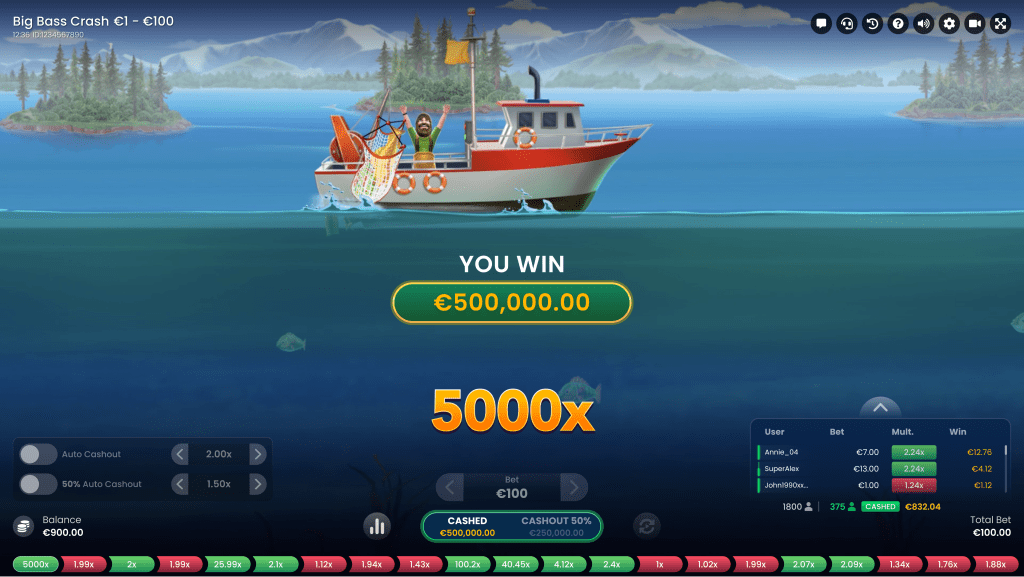
- If you hit the 5000x multiplier, all the remaining bets in the game will be paid out automatically.
If you cash out before the Crash, you win the amount of the bet that you decided to cash out multiplied by the current multiplier. Your win amount will be displayed in the winning notification on your screen. For more information, see the sections “Cashing out” and “Auto Cashout and 50% Auto Cashout”.
Once you cash out, the current game is over for you and you can start placing bets for the upcoming round.
Multiplier
The multiplier always starts at the value of 1.00x and increases until the Crash occurs at a random predetermined multiplier value. The maximum Crash multiplier value is 5000x.
Note: Depending on whichever of the following two is reached first, the maximum possible payout in this game is 4,999:1 (5000x) or the currency equivalent of $500,000. The game continues after the maximum payout is reached.

Placing Bets
The minimum and maximum bets allowed are displayed next to the game name.
The Game Information Indicator informs you of the game status.
WAIT FOR THE NEXT GAME is displayed when you join the game after betting time has ended or if you have not placed any bets in the current round. While watching the current round as a spectator, you may start placing your bet for the next game round.

NEXT GAME IN is displayed when bets are open for the current game round.

Once the betting time is over, the bets are closed, and all betting areas become inactive if you have confirmed your bet.

 The Quick Bets option allows you to increase the value of your current bet faster. Click/tap the Quick Bets to add the displayed amount to your total bet. Only those Quick Bets that can be covered with your current Balance are enabled.
 Click/tap the Double button to double your bet up to the maximum limit.
 The Undo button removes the most recent change you made to your bet in the current game round. Clicking/tapping the Undo button repeatedly removes changes one by one, with the most recent change removed first.
The Balance indicator shows your available funds and currency. Your balance has to be sufficient to cover your bet.
If your balance is not updated (after placing bets, losing or winning), please refresh your game.
 The Cashier button will open the Cashier window for deposits and withdrawals. On mobile devices the Cashier button is available inside the game Menu.
The Total Bet indicator shows the total value of all bets placed in the current game round.
Each game round is identified by a unique Game ID number. The Time indicator shows your current local time.
Please use the game ID number for reference (or take a screenshot of the game number) if there are any questions and you wish to contact Customer Service.
Cashing out
Once your bet is accepted, you are participating in the current game round and making one of the following decisions: CASHOUT or CASHOUT 50%.


Big Bass Crash is a real-time game, and for that reason, any actions with “CASHOUT“ and “CASHOUT 50%“ are subject to delays, depending on your internet connection, usually around 100-200ms.
When you click/tap “CASHOUT” or “CASHOUT 50%”, a payout request is triggered, which is further settled at the current value of the multiplier at the time it is processed by the game server, providing that the Crash has not occurred.
- When you choose to “CASHOUT”, you take the winnings of all your bet still in the game. The current value of the win amount is displayed on the button and keeps increasing as the multiplier goes higher.
If you click/tap this button before the Crash, a confirmation process from the game server is triggered, and the value of your final winning amount is settled according to the current multiplier at the time your request is validated.
- When you choose to “CASHOUT 50%” you have the option to secure half of your current bet and continue playing with the other half, potentially cashing it out later at a higher multiplier value.
If you click/tap this button before the Crash, a confirmation process from the game server is triggered. When your request is validated, your final winning amount is settled according to the current multiplier. The bet field will then automatically update to reflect the new value of your remaining bet.
To cash out the second half of your bet, click/tap the “CASHOUT” button before the Crash occurs.
Auto Cashout and 50% Auto Cashout
Use the toggle on the panel on your screen to enable “Auto Cashout” and/or “50% Auto Cashout” during the betting time.
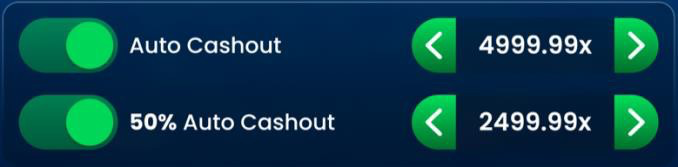
The minimum value to set is 1.01x, and the maximum is 4999.99x, as there is no Crash at 5000.00x, resulting in an auto payout of all bets remaining in the game.
NOTE: Activating Auto Cashout / Auto Cashout 50% guarantees paying the selected multiplier if it is less or equal to the Crash multiplier.
If you have selected both auto cashout options, please note that the value set for the “50% Auto Cashout” must be less than the value set for the “Auto Cashout”, and it will change accordingly when “Auto Cashout” is adjusted and disabled when “Auto Cashout” equals 1.01x.
If these options are activated, your payout is processed based on the game result and “Auto Cashout”/ “50% Auto Cashout” predefined values.
Once the game round starts, you can no longer modify these settings, but you can still use the CASHOUT / CASHOUT 50% buttons to cash out at smaller values of your choice manually.
Enabled Auto Cashout options are displayed on mobile as a scaled-down view after your bet is accepted.

Last Results
The Last Results panel shows the Crash values from the most recent game rounds. Each round displayed in Last results has three general statuses:
- Countdown (betting time)
- IN PLAY (from Bets Closed until the end of the game round)
- The coloured result tile displays the Crash multiplier

Leaderboard
The Leaderboard is a dynamically updated list of players who placed bets during the current game round, their bet amounts, reached multipliers and cashed sums.
CASHOUT / AUTO CASHOUT and CASHOUT 50% / 50% AUTO CASHOUT transactions are displayed with relevant indicators: half-filled show 50% cashouts and filled show full cashouts.
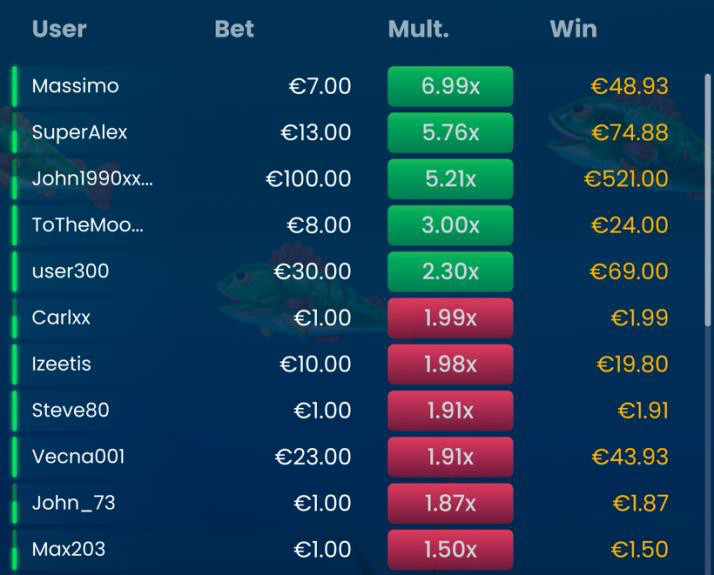
The summary of the Leaderboard shows the total number of active players in the current game round, the total number of players who cashed out and the total amount of their winnings.
While bets are open, the Leaderboard summary also displays the number of players with confirmed bets and their total bet amount.

Statistics
 Click/tap the Statistics button to open and view Statistics.
The LAST RESULTS panel shows the values of up to 500 most recent Crash multipliers.
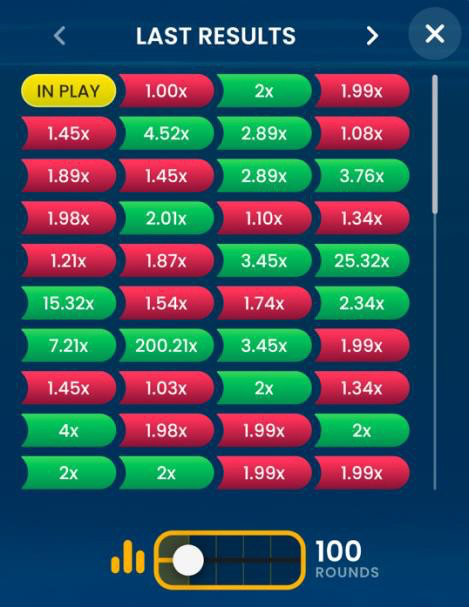
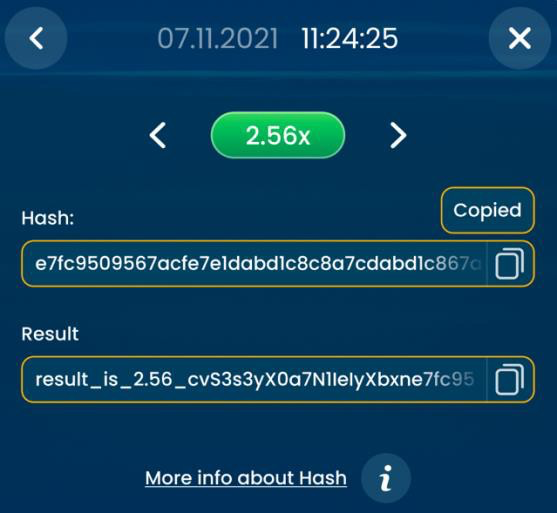
Click/tap the result tile to see more details about that result:
- Timestamp of the game round.
- Hash string: this is a hash sent before the start of the game round, which contains the Crash multiplier value for the current round. When the game round is over, you can use it to verify the game fairness.
- Result string: a string containing the result. It is sent at the end of the game round. By hashing this string with SHA256, you will obtain the hash string above, confirming that the Crash result has not been altered during the round.
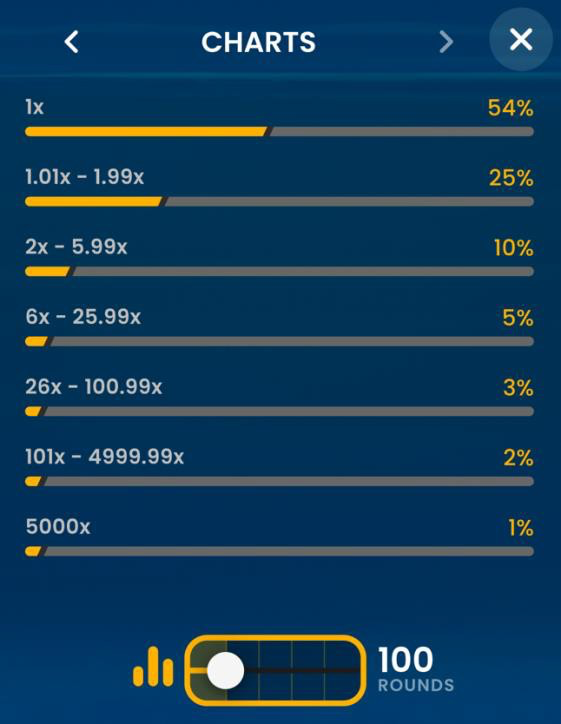
The CHARTS panel shows the range of result distribution. Use the slider to change the number of the most recent rounds to generate the charts.
Navigation Controls
 Clicking/tapping the Chat button opens the chat window. You can chat with other players.
 If you wish to speak with the Live Support, please select the corresponding chat room by clicking/tapping the Support button, and you will be assisted in a private chat.
Chat messages are monitored by dedicated Customer Support personnel at all times. Players who misuse Chat by abusing other players, or by using inappropriate and/or offensive language might have their chat privileges disabled.
 Clicking/tapping the Volume Control button opens a slider and lets you adjust the sound volume at your table. Click/tap the Volume control button to mute the sound. To unmute, click/tap the Volume Control button icon again.
 Click/tap the History button to launch a window showing details of your gaming activity. By default, it will open your history for today. Under the tab Older you can view your previous gaming history.
Simply select a game round from the list to review it in detail, arranged by game round information and information about bets.
 Clicking/tapping the Game Help button opens the Help window.
 Click/tap the Settings button to open the Settings window allowing you to select your preferences:
- Animation on/off
- Manage game effects
 Click/tap the Animation button to change the mode to No Animation mode with most of the elements being static. On mobile devices, this functionality is available under the Settings Menu.
 Click/tap the Full Screen button to launch the Full Screen mode. To exit this mode, click/tap the button again or use the “Esc” key on your keyboard.
Game Inconveniences
If there is any technical malfunction, the game will be cancelled. The value of all valid cashouts will stand, and the value of all uncashed amounts will be refunded.
In rare cases where there is a system or software problem, all bets placed on a cancelled round will be refunded.
If the “CASHOUT”/ “AUTO CASHOUT” or “CASHOUT 50%”/ “50% AUTO CASHOUT” action cannot be processed or was declined by the game server, you will receive a notification “CASHOUT FAILED”.
If you wish to discuss any game related issues, please contact Live Support, providing your Game name.
Disconnection Policy
The following error handling procedures apply in case of a disconnection:
- If disconnection occurs before the BETS CLOSED message appears on the screen, your bet will be discarded.
- If disconnection occurs after the BETS CLOSED but before the game starts or current multiplier is 1x, your bet will be refunded in case 1x is not the Crash multiplier. Otherwise, your bet will be settled as loss.
- If the value of the current multiplier is at least 1.01x and there is no Crash, a Forced Cashout will be automatically applied at the moment of your disconnection.
Once reconnected, you can view bet outcomes in the History window. Winnings credited through Forced Cashout have a Cashout (disconnection) bet type and refunds have a Refund (disconnection) bet type.
The Disconnection Policy will not apply if the Auto Cashout is enabled, except for cases when only 50% Auto Cashout is enabled.
If there are any issues or you have any questions about your bets or balance, please contact Customer Support.