Introduction
Color Game Bonanza is a fast-paced live game show played with three coloured dice that are rolled down the game board.
The objective of Color Game Bonanza is to predict which colours will land face-up on the dice when rolled.
You win when one, two or all three dice show your chosen colour. The more dice that match your colour, the bigger the prize. With one or two, you get an instant payout — but with all three, the bonus round is triggered, where you could win bigger prizes, including the 3000x Grand Jackpot.

How to Play
Main Game
Color Game Bonanza is played with three matching dice showing six different colours on their faces: yellow, white, purple, blue, red and green.
You can bet on one or more colours by placing chips on the six corresponding bet spots.
Each bet spot displays real time statistics about that colour for the present game round: number of players betting, total amount of bets and percentage of total bets placed on that colour.

When the betting time ends, the game presenter releases the dice from the holder, sending them tumbling down the game board, according to the Valid Roll Procedure.
Once the dice come to a stop, the face-up colours determine the winning result of that game round.
If you placed a bet on a colour that is face-up on one or more dice, you’ll receive a payout according to the payout table.
If all three dice show the same colour face-up, the Bonus Wheel is triggered.
Bonus Wheel
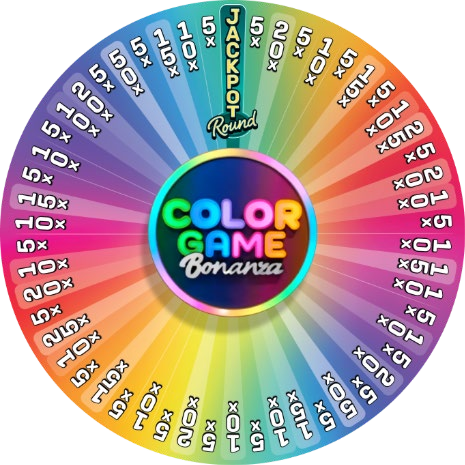
You qualify for the Bonus Wheel spin if you have placed a bet on the winning colour.
The Bonus Wheel has 54 segments containing Multiplier prizes 5x, 10x, 15x, 20x, 25x, 50x and one Jackpot segment.
The presenter spins the Bonus Wheel.
If it stops on a Multiplier prize segment, you will be awarded that winning multiplier. Your total win is displayed on the screen and the bonus round ends.
If the Bonus Wheel stops on a Jackpot segment, the Jackpot Wheel is triggered, and you will get the chance to play for bigger prizes including the 3000x Grand Jackpot.
Jackpot Wheel
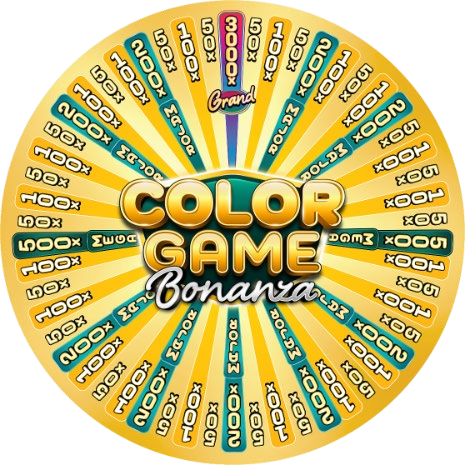
You qualify for the Jackpot Wheel spin if you played the Bonus Wheel and it landed on a Jackpot segment.
The Jackpot Wheel has 54 segments containing multiplier prizes: 50x, 100x, the 200x Major Jackpot, the 500x Mega Jackpot and the 3000x Grand Jackpot.
The presenter spins the Jackpot Wheel and you will be awarded the multiplier it lands on, with your total win displayed on the screen.
Bets and Payouts
If your bet covers a winning colour, winnings are paid according to the Payout table.
| OUTCOME | PAYOUT |
| SINGLE: 1 Die match | 1:1 |
| DOUBLE: 2 Dice match | 2:1 |
| TRIPLE: 3 Dice match | BONUS |
The maximum payout in a game round may be limited. For details, see the Payouts & Limits section of the game. After the maximum payout is reached, the game continues normally, and the maximum limit is applied to the total winnings at the end of the game round.
The Last Winning Results
The Last Winning Results display the winning results of the last game rounds. The result of the most recent result is on the left.
Multipliers awarded in the bonus rounds are displayed on top.

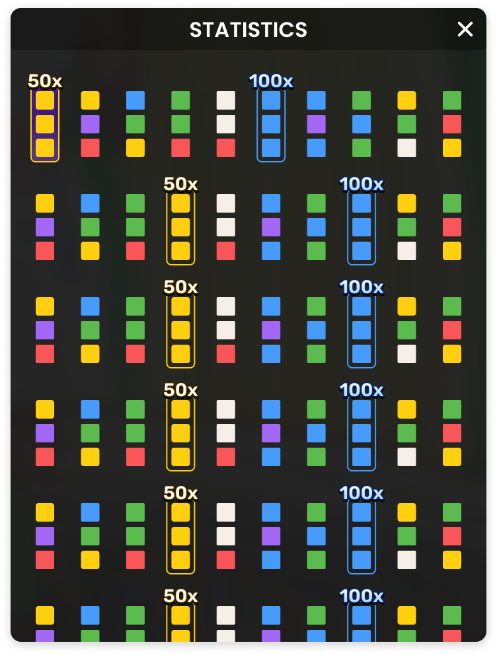
Game Statistics
 Click/tap the Statistics button for more detailed statistics of the last 500 game rounds.
Placing Bets
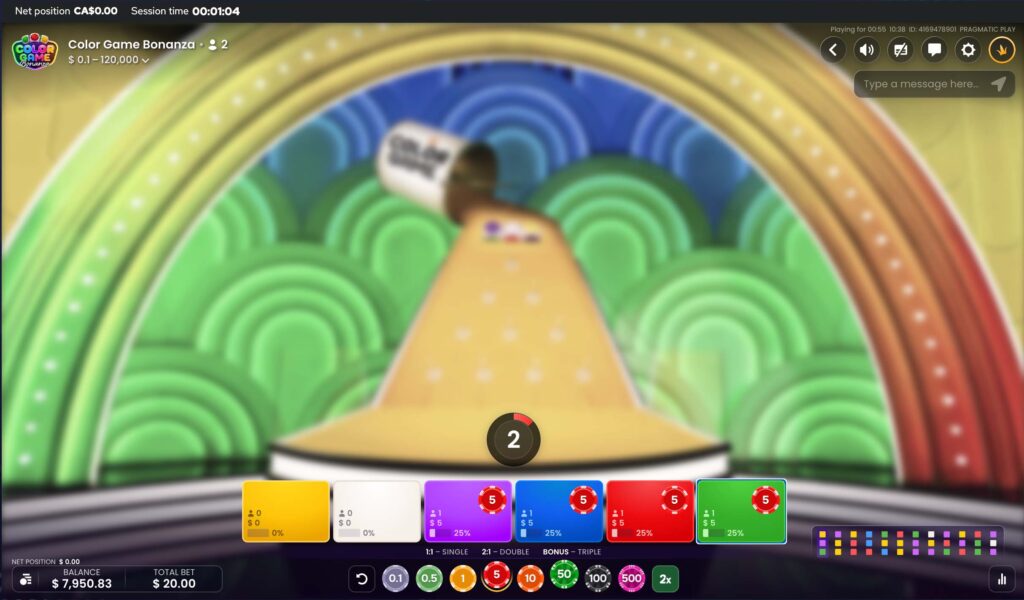
The Table Name indicates the table you are currently playing at, and the Table Limits show the minimum and maximum bets allowed at the table.
When clicking/tapping this area, the Payouts & Limits window opens, showing the minimum and maximum limits and payout odds for each bet type.
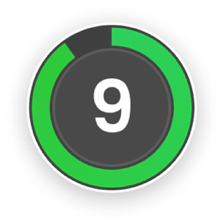 The Game Information Indicator informs you of the game status.
While the timer is displayed, you may place and modify your bets.
The Chip Display allows you to select the value of the chips you wish to bet with. Only chip values that can be covered with your current Balance are available.

 The Rebet button allows you to repeat the same bets from the previous game round. Once you have clicked/tapped the Rebet button, the Double and Undo buttons are enabled.
 The Double button doubles all your placed bets. Every click/tap doubles your bets up to the maximum limit.
 The Undo button removes the last bet you placed. This button is available only during the betting time. Once bets are closed, you will not be able to undo or change your bets. Clicking/tapping the Undo button repeatedly removes bets one by one, with the most recent bet removed first.
The Balance indicator shows your available funds and currency. Your balance has to be sufficient to cover all your placed bets.
If your balance is not updated (after placing bets, losing or winning), please refresh your game.
The Cashier button opens the Cashier window for deposits and withdrawals. On mobile devices, the Cashier button is available inside the game Menu.
The Total Bet indicator shows the total value of all bets placed in the current game round.
Each game round is identified by a unique Game name. The Time indicator shows your current local time.
Please use the game name for reference (or take a screenshot of the game number) if there are any questions and you wish to contact Customer Service.
Game Result
The winning result of the game round is highlighted on the betting layout. Your winnings are displayed on your screen.

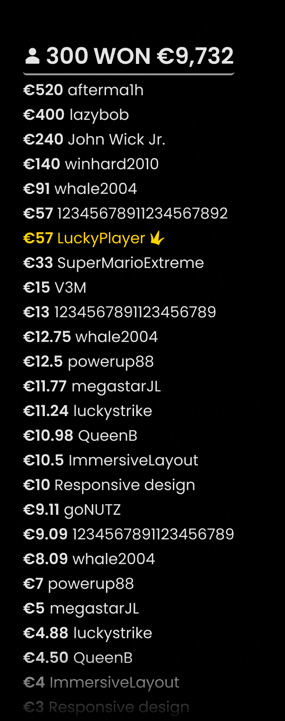
The Winner List is displayed at the end of the game round and shows the nicknames of all the players who won at the current table in the last game round. The winning amount is shown in your currency.
Navigation Controls
 The Lobby button can be selected at any time from any game. It allows you to easily change the game table, select any other live game or simply leave the table. You will not be removed from your current table until you have selected the new game table you wish to join. You can use the Lobby to browse other games while remaining at the current table. Once on the Lobby page, please click/tap the Back to game button to exit the Lobby page and return to your open table.
 Clicking/tapping the Chat button opens the chat window. You can chat with the game Host and other players. Game Host will communicate with you directly and answer any questions regarding the game.
 If you wish to speak with the Live Support, please select the corresponding chat room by clicking/tapping the Support button, and you will be assisted in a private chat.
Chat messages are monitored by dedicated Customer Support personnel at all times. Players who misuse Chat by abusing the Host or other players, or by using inappropriate and/or offensive language might have their chat privileges disabled.
 Clicking/tapping the Volume Control button opens a slider and lets you adjust the sound volume at your table. Click/tap the Volume control button to mute the sound. To unmute, click/tap the Volume Control button icon again.
 Click/tap the History button to launch a window showing details of your gaming activity. By default, it will open your history for today.
Simply select a game round from the list to review it in detail, arranged by game round information and information about bets.
 Clicking/tapping the Game Help button opens the Help window.
 Click/tap the Settings button to open the Settings window allowing you to select your preferences:
- Video stream on/off
- Manage video quality
- Manage game sound effects
 Click/tap the Full Screen button to launch the Full Screen mode. To exit this mode, click/tap the button again or use the “Esc” key on your keyboard.

Subtitles
Subtitles may not be completely accurate. Please refer to the information from the in-game user interface as the primary source.
Valid Roll Procedure
Dice should be released from the holder at the top of the game board, tumbling down at least once before they come to a stop at the bottom.
If the roll is not confirmed as valid, it is a “No roll”. A “No roll” is declared if:
- A die bounces out of the platform.
- A die slides down without tumbling.
- A die is stuck on the edge.
- There is any physical malfunction, affecting the dice release.
- There is any mechanical malfunction, affecting the game board or any of the dice.
In case of a “No roll”, a re-roll is activated based on standard operating procedures. Your bets remain placed until a valid roll is made.
Wheel Valid Spin Rule – Bonus & Jackpot Wheel
A winning multiplier is only awarded when the spin is deemed valid. A valid spin is defined as follows:
The wheel must complete at least two complete rotations counted from the segment where the pointer came to rest in the previous bonus game round.
If the spin is defined as invalid, this situation is called a “No Spin”. Situations where a “No Spin” is declared:
- The wheel did not complete two revolutions from the moment it was set in motion.
- The pointer comes to rest on a pin between 2 segments.
- There is physical interference of any kind with the spin.
- There is any kind of mechanical malfunction affecting the wheel or its supporting structure.
In the event of a “No Spin”, the game round will be cancelled, and player bets will be refunded.

Game Inconveniences
If there is an error in the game, system, game procedure or transaction activity, the game round will be temporarily paused, and the Shift manager immediately notified. You and other players will be informed by an on-screen notification that the issue is being investigated.
If the error can be immediately resolved, the game round will continue as usual. If immediate resolution is not possible, the game round will be cancelled, and initial bets will be refunded to all players who participated in the game round.
If you wish to discuss any game related issues, please contact Live Support, providing your Game name.
Disconnection Policy
Pragmatic Play Live Casino services are delivered over the Internet, and occasionally disconnections may occur.
After being disconnected, check your winnings in the History window. If you have any questions regarding the game outcomes, please contact Live Support within the game or Casino Customer Support, providing your Game name.